CatPosters.us is a side project I genuinely enjoy. AI-generated cats in human form, punny titles, captions full of terrible cat wordplay. It is silly on purpose, and that is the whole business model.
If you read my earlier post about how the “magic” behind CatPosters.us works, you already know I had some fun with the buzzwords. The real process is much simpler: prompt, generate, upload, repeat.
What that post did not cover is the part that was actually wearing me down: remembering to do any of it.
A few from the archive
This is the kind of nonsense the site exists for. A handful of favorites from CatPosters.us, none of them recent, all of them exactly the sort of thing the bot is now publishing while I am off doing something else.
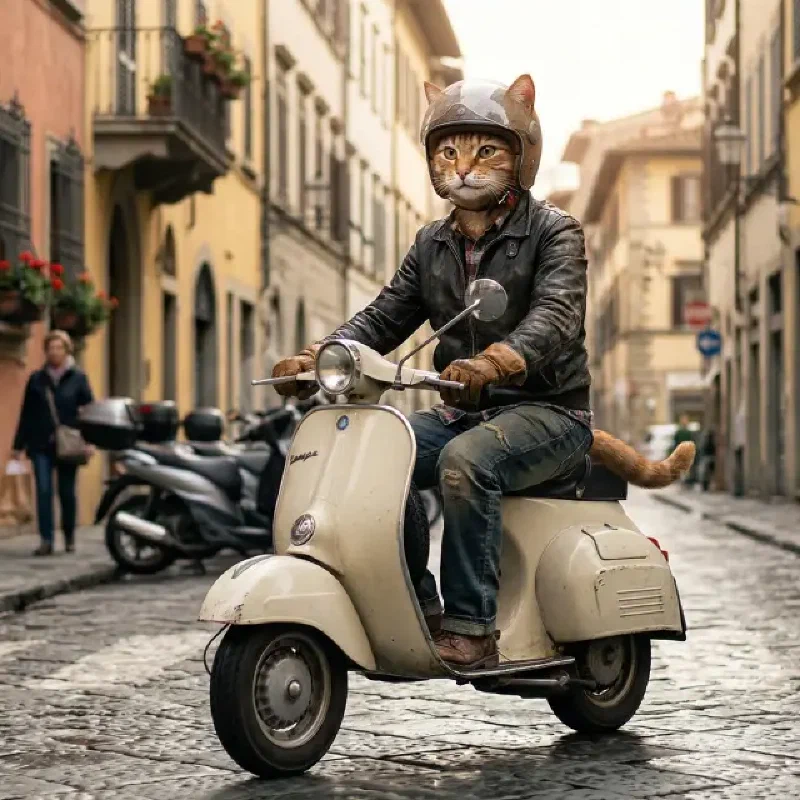
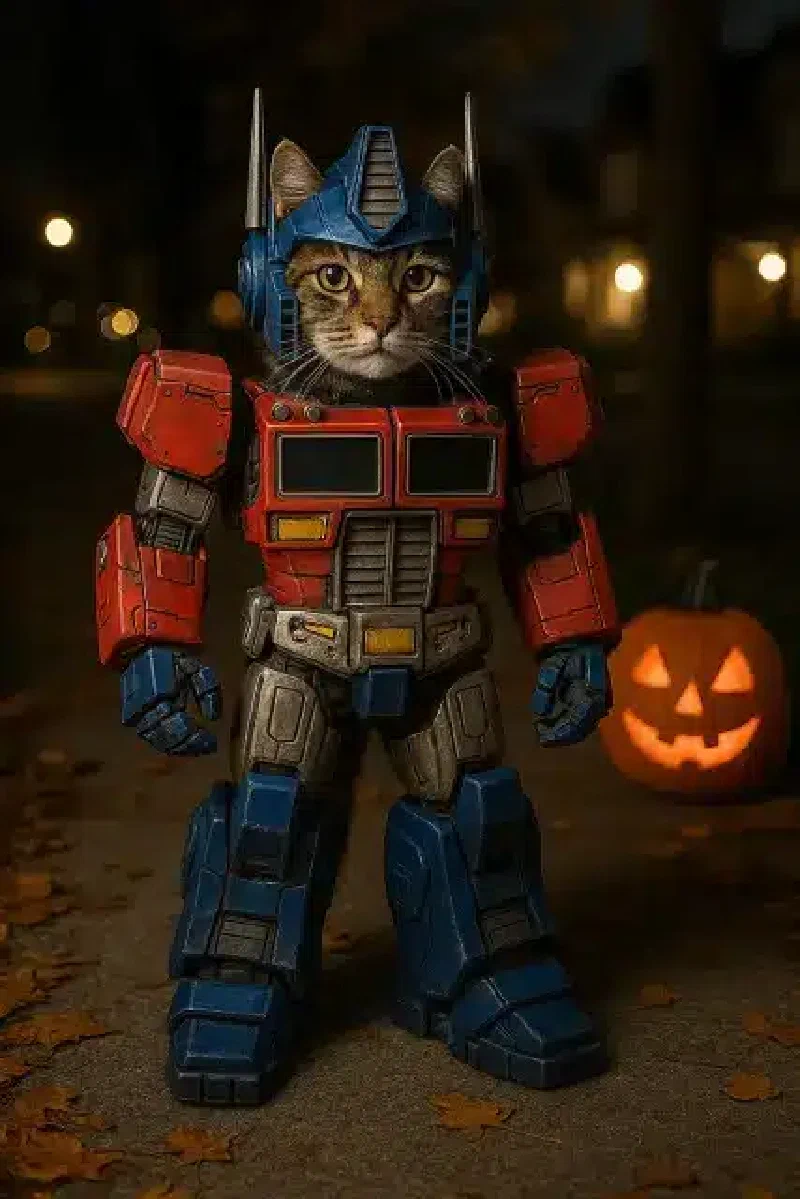

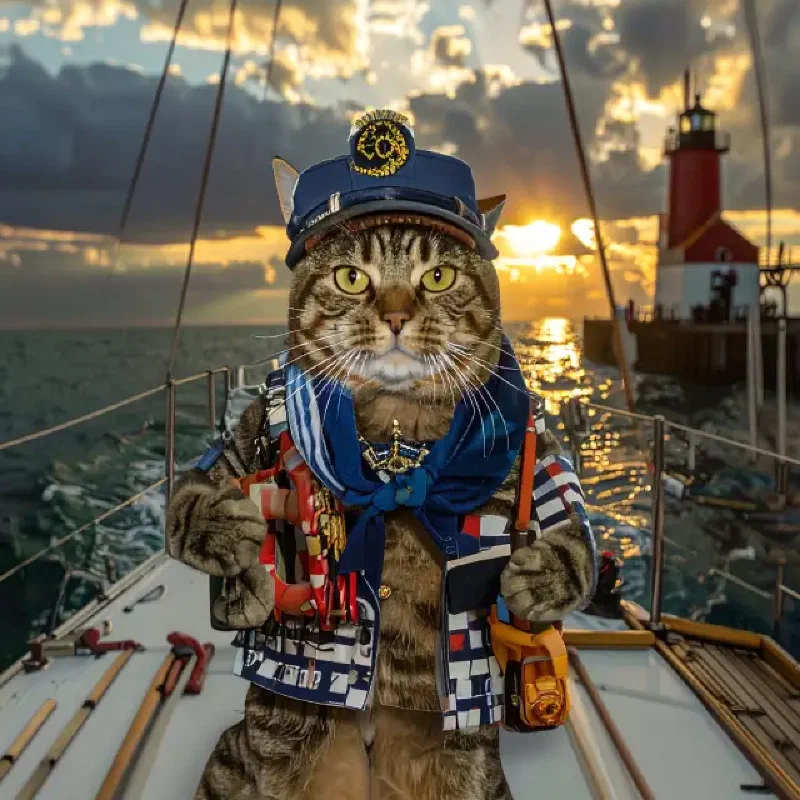
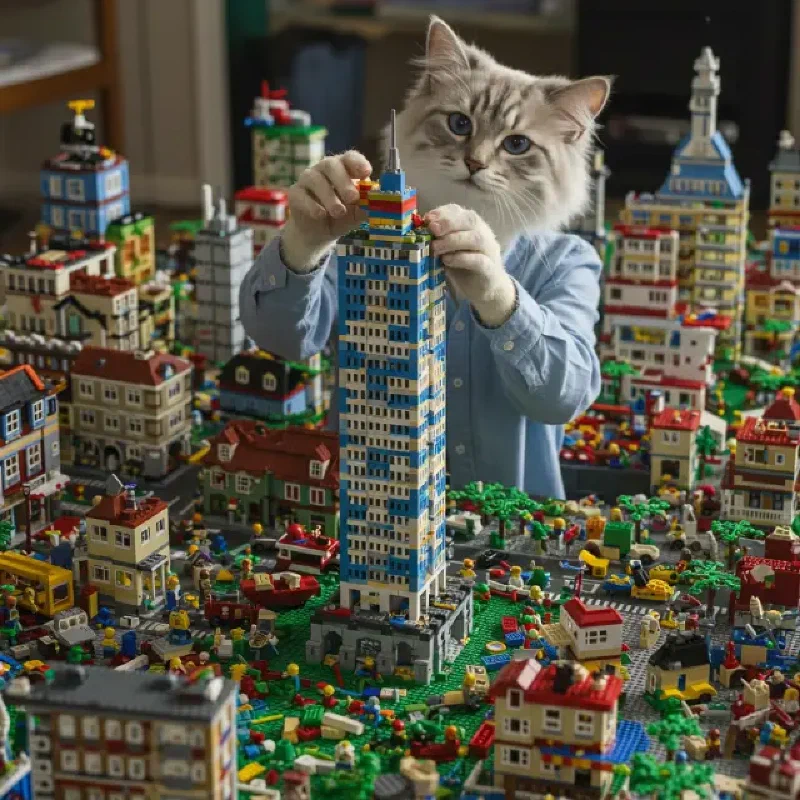
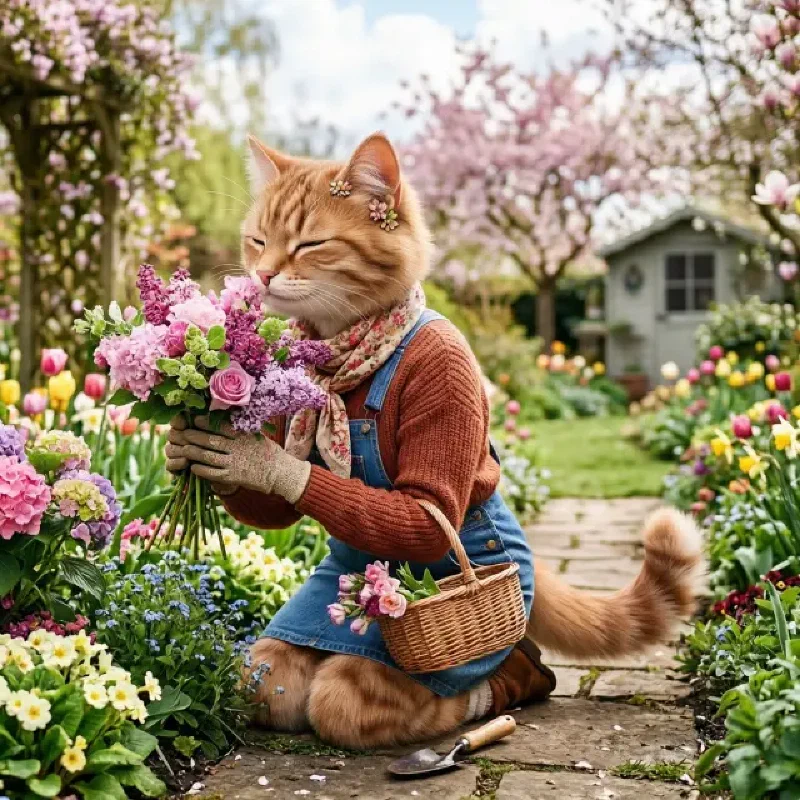
Vespa cat. Robot cat. Bagpipe cat. The themes are unhinged and that is the brand.
The problem nobody warns you about
For a while, posting to CatPosters.us meant sitting down, opening an AI image tool, thinking up a scenario, writing a punny title and caption, downloading the image, logging into WordPress, uploading media, building the post, setting the featured image, and publishing.
None of that is hard. All of it adds up. Like doing dishes, except the dishes are cats in tiny chef hats and you have to invent a pun for each one.
I kept telling myself I would post regularly. Then life happened. A week would go by. I would forget what themes I had already done and accidentally generate another cat barista or another cat on a Vespa. Scheduling it in my head did not work. Calendar reminders helped until I started ignoring those too, which is a skill I did not know I had.
I did not need a bigger creative workflow. I needed something that would just run every day without me thinking about it, ideally while I was busy forgetting the site existed.
The “solution”
The site runs on WordPress, which has a perfectly good REST API that most people use for serious things. I am using it for cat posters, which feels about right.
The bot does four things, and yes, I am going to describe them like this is enterprise software:
- Ask Gemini for copy. Title, caption, scenario, and image prompt, returned as structured JSON so the output does not wander off into free verse about the human condition.
- Ask Gemini for an image. Same fixed style prefix every time so every poster looks like it belongs on the site and not like a fever dream.
- Process the image locally. Square crop, resize to 1024×1024, save as WebP. Very glamorous.
- Upload to WordPress. Media first, then a post with Gutenberg block markup, featured image, and category. The whole tedious click sequence, but automated.
A small history.json file tracks the last 30 scenarios so the model does not keep suggesting cat DJ at music festival every other day, and yes, I learned that one the hard way after the third DJ cat in a row.
How it fits together
cron (daily)
    │
    ▼
generate_post.py
    │
    ├─► Gemini (text)  → title, caption, scenario, image prompt
    ├─► Gemini (image) → raw image bytes
    ├─► Pillow           → crop, resize, WebP
    └─► WordPress REST   → upload media, create and publish the post
I started with drafts while I was testing, mostly to make sure we were not accidentally publishing a cat lawyer whose briefcase is somehow also a fish. Once I trusted the output, I flipped production to publish automatically. In production, a new poster goes live every morning and I do not have to open WordPress unless I want to.
For local testing, you can still use drafts, pass --publish for a one-off live post, or use --dry-run to generate everything locally and skip WordPress entirely without littering your media library with experimental cats.
Setup
You need four things:
- A Google AI Studio API key for Gemini
- A WordPress site with the REST API enabled, which is the default on most installs
- An Application Password for the WordPress user that will own the posts
- Python 3 with
google-genai,requests,Pillow, andpython-dotenv
Install dependencies:
python3 -m venv .venv
source .venv/bin/activate
pip install -r requirements.txt
Copy the example env file and fill in your values:
cp .env.example .env
# Google AI (Gemini)
GOOGLE_API_KEY=your_key_here

# WordPress - Users, Profile, Application Passwords
WP_URL=https://catposters.us
WP_USERNAME=your_wp_username
WP_APP_PASSWORD=xxxx xxxx xxxx xxxx xxxx xxxx

# Post settings
WP_CATEGORY_ID=1
POST_STATUS=publish
# Use draft while testing, then switch to publish for production

# Models
TEXT_MODEL=gemini-2.5-flash
IMAGE_MODEL=gemini-2.5-flash-image

# Image prompt prefix - keeps the site visually consistent
IMAGE_PROMPT_PREFIX=Photo-realistic image of a cat in human form
Run it once by hand:
python generate_post.py              # uses POST_STATUS from .env
python generate_post.py --dry-run    # local only, no WordPress
python generate_post.py --publish    # publish even if .env says draft
The script, redacted for polite company
The whole thing lives in one file. Below is the real structure with credentials and paths generalized. If you want the full version, the pattern is straightforward enough to adapt, or you can just steal it and swap in your own questionable creative direction.
#!/usr/bin/env python3
"""Generate a cat poster and post it to WordPress."""

from __future__ import annotations

import argparse
import json
import os
import random
import re
import sys
from datetime import datetime, timezone
from io import BytesIO
from pathlib import Path

import requests
from dotenv import load_dotenv
from google import genai
from google.genai import types
from PIL import Image

SCRIPT_DIR = Path(__file__).resolve().parent
HISTORY_FILE = SCRIPT_DIR / "data" / "history.json"
OUTPUT_DIR = SCRIPT_DIR / "output"

TEXT_SCHEMA = types.Schema(
    type=types.Type.OBJECT,
    required=["scenario", "title", "caption", "image_prompt_suffix", "color_palette"],
    properties={
        "scenario": types.Schema(
            type=types.Type.STRING,
            description="Short description of the scene for deduplication.",
        ),
        "title": types.Schema(
            type=types.Type.STRING,
            description="Punny post title, 3-8 words.",
        ),
        "caption": types.Schema(
            type=types.Type.STRING,
            description="Witty figcaption with cat puns, 1-2 sentences.",
        ),
        "image_prompt_suffix": types.Schema(
            type=types.Type.STRING,
            description=(
                "Detailed scene description appended after the photo-realistic "
                "cat-in-human-form prefix. Do not repeat the prefix."
            ),
        ),
        "color_palette": types.Schema(
            type=types.Type.STRING,
            description=(
                "Dominant colors and lighting for the image, e.g. "
                "'bright coral Vespa against sunlit yellow Italian street walls' or "
                "'cool blue winter snow with warm orange scarf accents'."
            ),
        ),
    },
)

COLOR_PALETTES = [
    "vivid spring greens and pink blossoms, bright natural daylight",
    "sun-drenched golden yellow and terracotta, warm Mediterranean afternoon",
    "cool icy blues and crisp white snow, soft winter morning light",
    "deep purple and orange sunset glow, dramatic golden hour",
    "bright coral, turquoise, and sunny yellow, cheerful summer palette",
    "lavender, sage green, and soft cream, gentle pastel garden tones",
    "rich emerald forest greens with dappled sunlight and wildflower accents",
    "bold red, white, and blue festive colors, crisp clear daylight",
    "warm honey amber and chocolate brown, cozy but saturated indoor tones",
    "electric neon pinks and blues against a dark night sky",
    "autumn rust orange, burgundy, and golden leaves, crisp fall air",
    "aqua ocean blues and sandy beige, bright coastal seaside light",
]

SAFETY_SETTINGS = [
    types.SafetySetting(
        category=types.HarmCategory.HARM_CATEGORY_HARASSMENT,
        threshold=types.HarmBlockThreshold.BLOCK_MEDIUM_AND_ABOVE,
    ),
    types.SafetySetting(
        category=types.HarmCategory.HARM_CATEGORY_HATE_SPEECH,
        threshold=types.HarmBlockThreshold.BLOCK_MEDIUM_AND_ABOVE,
    ),
    types.SafetySetting(
        category=types.HarmCategory.HARM_CATEGORY_SEXUALLY_EXPLICIT,
        threshold=types.HarmBlockThreshold.BLOCK_MEDIUM_AND_ABOVE,
    ),
    types.SafetySetting(
        category=types.HarmCategory.HARM_CATEGORY_DANGEROUS_CONTENT,
        threshold=types.HarmBlockThreshold.BLOCK_MEDIUM_AND_ABOVE,
    ),
]


def load_config() -> dict:
    load_dotenv(SCRIPT_DIR / ".env")
    required = ["GOOGLE_API_KEY", "WP_URL", "WP_USERNAME", "WP_APP_PASSWORD"]
    missing = [key for key in required if not os.getenv(key)]
    if missing:
        sys.exit(f"Missing required env vars: {', '.join(missing)}\nCopy .env.example to .env and fill in values.")

    return {
        "google_api_key": os.environ["GOOGLE_API_KEY"],
        "wp_url": os.environ["WP_URL"].rstrip("/"),
        "wp_username": os.environ["WP_USERNAME"],
        "wp_app_password": os.environ["WP_APP_PASSWORD"].replace(" ", ""),
        "wp_category_id": int(os.getenv("WP_CATEGORY_ID", "1")),
        "post_status": os.getenv("POST_STATUS", "draft"),
        "text_model": os.getenv("TEXT_MODEL", "gemini-2.5-flash"),
        "image_model": os.getenv("IMAGE_MODEL", "gemini-2.5-flash-image"),
        "image_prompt_prefix": os.getenv(
            "IMAGE_PROMPT_PREFIX",
            "Photo-realistic image of a cat in human form",
        ),
    }


def load_history() -> list[dict]:
    if not HISTORY_FILE.exists():
        return []
    with HISTORY_FILE.open() as f:
        return json.load(f)


def save_history(entry: dict) -> None:
    HISTORY_FILE.parent.mkdir(parents=True, exist_ok=True)
    history = load_history()
    history.append(entry)
    history = history[-100:]
    with HISTORY_FILE.open("w") as f:
        json.dump(history, f, indent=2)


def slugify(title: str) -> str:
    slug = title.lower()
    slug = re.sub(r"[^a-z0-9\s-]", "", slug)
    slug = re.sub(r"[\s-]+", "-", slug).strip("-")
    return slug[:80]


def pick_color_palette(history: list[dict]) -> str:
    recent = {entry["color_palette"] for entry in history[-8:] if entry.get("color_palette")}
    choices = [palette for palette in COLOR_PALETTES if palette not in recent]
    return random.choice(choices or COLOR_PALETTES)


def generate_copy(
    client: genai.Client, config: dict, history: list[dict], color_palette: str
) -> dict:
    past_scenarios = [entry["scenario"] for entry in history[-30:]]
    avoid = "\n".join(f"- {s}" for s in past_scenarios) if past_scenarios else "(none yet)"

    prompt = f"""You write content for CatPosters.us, a WordPress site of AI-generated cat posters.

Each post has:
- A punny title (examples: "Paws and Pedals: A Vespa Vibe", "Full Bloom Feline-ality", "Cold Paws, Warm Heart")
- A witty figcaption with cat puns (examples: "Feeline fine and ready to roll on my classic Vespa, Italian street cred included", "Scent-sational views. No actual digging required")

Visual variety is essential. The site mixes bold colorful scenes with quieter ones. Great examples:
- A cat on a Vespa in a sunlit Italian street (warm yellows, coral, terracotta)
- A cat in a vibrant flower field (bright greens, pinks, purples)
- A cat shoveling snow (cool blues and whites with warm accent colors)
- Seasonal and outdoor scenes with strong, distinct color palettes

For this poster, use this color direction: {color_palette}
Build the scene, outfit, and setting to showcase those colors prominently. Avoid defaulting to generic brown/beige indoor tones unless the palette calls for it.

Content rules (strict):
- Family-friendly, wholesome, and lighthearted — suitable for all ages
- No violence, weapons, drugs, alcohol, politics, religion, or adult themes
- No real celebrities, brands, logos, or copyrighted characters
- Mix indoor and outdoor scenes; favor settings where bold colors feel natural

Create a fresh, creative scenario for a new poster. Avoid repeating these recent themes:
{avoid}

Return JSON with:
- scenario: short label for deduplication (e.g. "cat barista at coffee shop")
- title: punny post title
- caption: figcaption text (no HTML)
- image_prompt_suffix: vivid scene details for image generation (setting, outfit, props, mood, lighting). Square composition.
- color_palette: restate and refine the assigned color direction for the image model"""

    response = client.models.generate_content(
        model=config["text_model"],
        contents=[prompt],
        config=types.GenerateContentConfig(
            response_mime_type="application/json",
            response_schema=TEXT_SCHEMA,
            temperature=1.0,
            safety_settings=SAFETY_SETTINGS,
        ),
    )
    return json.loads(response.text)


def generate_image(client: genai.Client, config: dict, image_prompt: str) -> Image.Image:
    response = client.models.generate_content(
        model=config["image_model"],
        contents=[image_prompt],
        config=types.GenerateContentConfig(
            response_modalities=["TEXT", "IMAGE"],
            safety_settings=SAFETY_SETTINGS,
        ),
    )

    for part in response.candidates[0].content.parts:
        if part.inline_data and part.inline_data.data:
            return Image.open(BytesIO(part.inline_data.data))

    raise RuntimeError("Image model returned no image. Try again or check IMAGE_MODEL in .env")


def save_webp(image: Image.Image, title: str) -> Path:
    OUTPUT_DIR.mkdir(parents=True, exist_ok=True)
    timestamp = datetime.now(timezone.utc).strftime("%Y%m%d_%H%M%S")
    path = OUTPUT_DIR / f"{timestamp}_{slugify(title)}.webp"

    if image.mode not in ("RGB", "RGBA"):
        image = image.convert("RGB")
    elif image.mode == "RGBA":
        background = Image.new("RGB", image.size, (255, 255, 255))
        background.paste(image, mask=image.split()[3])
        image = background

    size = min(image.size)
    left = (image.width - size) // 2
    top = (image.height - size) // 2
    image = image.crop((left, top, left + size, top + size))
    image = image.resize((1024, 1024), Image.Resampling.LANCZOS)
    image.save(path, "WEBP", quality=85)
    return path


def wp_auth(config: dict) -> tuple[str, str]:
    return config["wp_username"], config["wp_app_password"]


def upload_media(config: dict, image_path: Path, title: str, caption: str) -> int:
    url = f"{config['wp_url']}/wp-json/wp/v2/media"
    with image_path.open("rb") as f:
        image_data = f.read()

    response = requests.post(
        url,
        auth=wp_auth(config),
        headers={
            "Content-Disposition": f'attachment; filename="{image_path.name}"',
            "Content-Type": "image/webp",
        },
        data=image_data,
        timeout=120,
    )
    response.raise_for_status()
    media_id = response.json()["id"]

    requests.post(
        f"{url}/{media_id}",
        auth=wp_auth(config),
        json={
            "title": title,
            "alt_text": title,
            "caption": caption,
        },
        timeout=30,
    ).raise_for_status()

    return media_id


def build_post_content(media_url: str, title: str, caption: str, media_id: int) -> str:
    return f"""<!-- wp:image {{"id":{media_id},"sizeSlug":"full","linkDestination":"none","align":"center"}} -->
<figure class="wp-block-image aligncenter size-full"><img src="{media_url}" alt="{title}" class="wp-image-{media_id}"/><figcaption class="wp-element-caption">{caption}</figcaption></figure>
<!-- /wp:image -->"""


def create_post(
    config: dict,
    title: str,
    caption: str,
    media_id: int,
    media_url: str,
    status: str,
) -> dict:
    url = f"{config['wp_url']}/wp-json/wp/v2/posts"
    response = requests.post(
        url,
        auth=wp_auth(config),
        json={
            "title": title,
            "content": build_post_content(media_url, title, caption, media_id),
            "status": status,
            "featured_media": media_id,
            "categories": [config["wp_category_id"]],
        },
        timeout=60,
    )
    response.raise_for_status()
    return response.json()


def main() -> None:
    parser = argparse.ArgumentParser(description="Generate a cat poster draft for CatPosters.us")
    parser.add_argument("--publish", action="store_true", help="Publish immediately instead of draft")
    parser.add_argument("--dry-run", action="store_true", help="Generate image and copy locally, skip WordPress")
    parser.add_argument("--scenario", help="Override scenario (still generates title/caption via AI)")
    args = parser.parse_args()

    config = load_config()
    status = "publish" if args.publish else config["post_status"]
    client = genai.Client(api_key=config["google_api_key"])
    history = load_history()

    print("Generating title, caption, and scenario...")
    color_palette = pick_color_palette(history)
    copy = generate_copy(client, config, history, color_palette)
    if args.scenario:
        copy["scenario"] = args.scenario

    image_prompt = (
        f"{config['image_prompt_prefix']}, {copy['image_prompt_suffix']}. "
        f"Color palette and lighting: {copy['color_palette']}. "
        "Rich, saturated colors; avoid a flat brown or sepia wash unless the scene calls for it."
    )
    print(f"Title: {copy['title']}")
    print(f"Scenario: {copy['scenario']}")
    print(f"Colors: {copy['color_palette']}")
    print(f"Image prompt: {image_prompt[:120]}...")

    print("Generating image...")
    image = generate_image(client, config, image_prompt)
    image_path = save_webp(image, copy["title"])
    print(f"Saved: {image_path}")

    if args.dry_run:
        print("\nDry run — skipping WordPress upload.")
        print(f"  Title:   {copy['title']}")
        print(f"  Caption: {copy['caption']}")
        return

    print("Uploading to WordPress...")
    media_id = upload_media(config, image_path, copy["title"], copy["caption"])

    media_response = requests.get(
        f"{config['wp_url']}/wp-json/wp/v2/media/{media_id}",
        auth=wp_auth(config),
        timeout=30,
    )
    media_response.raise_for_status()
    media_url = media_response.json()["source_url"]

    print(f"Creating {status} post...")
    post = create_post(config, copy["title"], copy["caption"], media_id, media_url, status)

    save_history(
        {
            "scenario": copy["scenario"],
            "title": copy["title"],
            "color_palette": copy["color_palette"],
            "post_id": post["id"],
            "created_at": datetime.now(timezone.utc).isoformat(),
        }
    )

    edit_url = f"{config['wp_url']}/wp-admin/post.php?post={post['id']}&action=edit"
    print(f"\nDone! Post ID {post['id']} ({status})")
    print(f"  Preview: {post['link']}")
    print(f"  Edit:    {edit_url}")


if __name__ == "__main__":
    main()
A few things that actually matter:
- Structured JSON output from Gemini keeps titles and captions from wandering off-format, which saves you from publishing something titled “Reflections on mortality, whiskers optional.”
- Application Passwords are the right WordPress auth for scripts because regular passwords and cookie auth are painful and app passwords exist for exactly this kind of nonsense.
- Gutenberg block markup in the post body means the image and caption render the same way as a hand-built post in the block editor, so the site does not look like you hacked the database at 2 a.m.
- Scenario deduplication is simple but effective because the model gets a list of recent themes and instructions to avoid them, which is more than my brain was doing.
Scheduling it
Once the script works interactively, scheduling is just cron, or launchd if you are on a Mac and prefer Apple’s cron with better marketing.
0 9 * * * cd /path/to/catposters-bot && .venv/bin/python generate_post.py >> cron.log 2>&1
With POST_STATUS=publish in .env, that is the whole production loop. No reminders. No “I should post today” guilt. Just a new cat poster on the site every morning, like a cat that has already knocked something off the counter and is now sitting there looking innocent.
What I would do differently next time
Nothing major, honestly. If I extended it, I might add a reject-and-regenerate loop if the image is off, stricter validation on title length before upload, or a weekly digest so I actually remember to look at what went live.
But the goal was not a perfect content pipeline. It was to stop relying on my memory for a fun side project, and on that front the bar was underground.
The takeaway
CatPosters.us does not need me to manually shepherd every poster through five browser tabs anymore. A short Python script, two Gemini models, and WordPress application passwords turned a recurring chore into something that runs while I am doing something else, which is the closest thing to magic this project has ever had.
If you run a WordPress site with a repeatable post format like image, caption, and category, this pattern transfers easily. Swap the prompts, swap the image prefix, keep the REST upload flow.
And if you just want more cats in human form doing improbable things, CatPosters.us is still the place. The bot publishes a fresh one every day while I am off forgetting to check my calendar.